Shopify Analytics will tell you what sold. It is much worse at telling you why, what to do about it, and what would have happened if you had not run that discount. Connected to your orders, Claude answers the questions you would ask an analyst, in the time it takes to type them.
The Shopify connector gives Claude the orders, products, variants, inventory levels and discount codes your scopes allow. For sales analysis the orders scope is the important one: every order with its line items, prices, discounts, shipping, fulfillment status, channel and country.
Customer records are a separate scope, and the setup guide suggests leaving it out. You lose nothing for analysis. Repeat-purchase behavior can be worked out from orders without names, emails or addresses ever leaving Shopify, and that is the version this guide uses.
Money in your currency: the figures in this guide follow the currency switch at the top of the site. Claude reports in whatever your store settles in.
The first five questions
Start broad and let the answers point at the next question. These five cover most of what a store owner wants to know on a Monday.
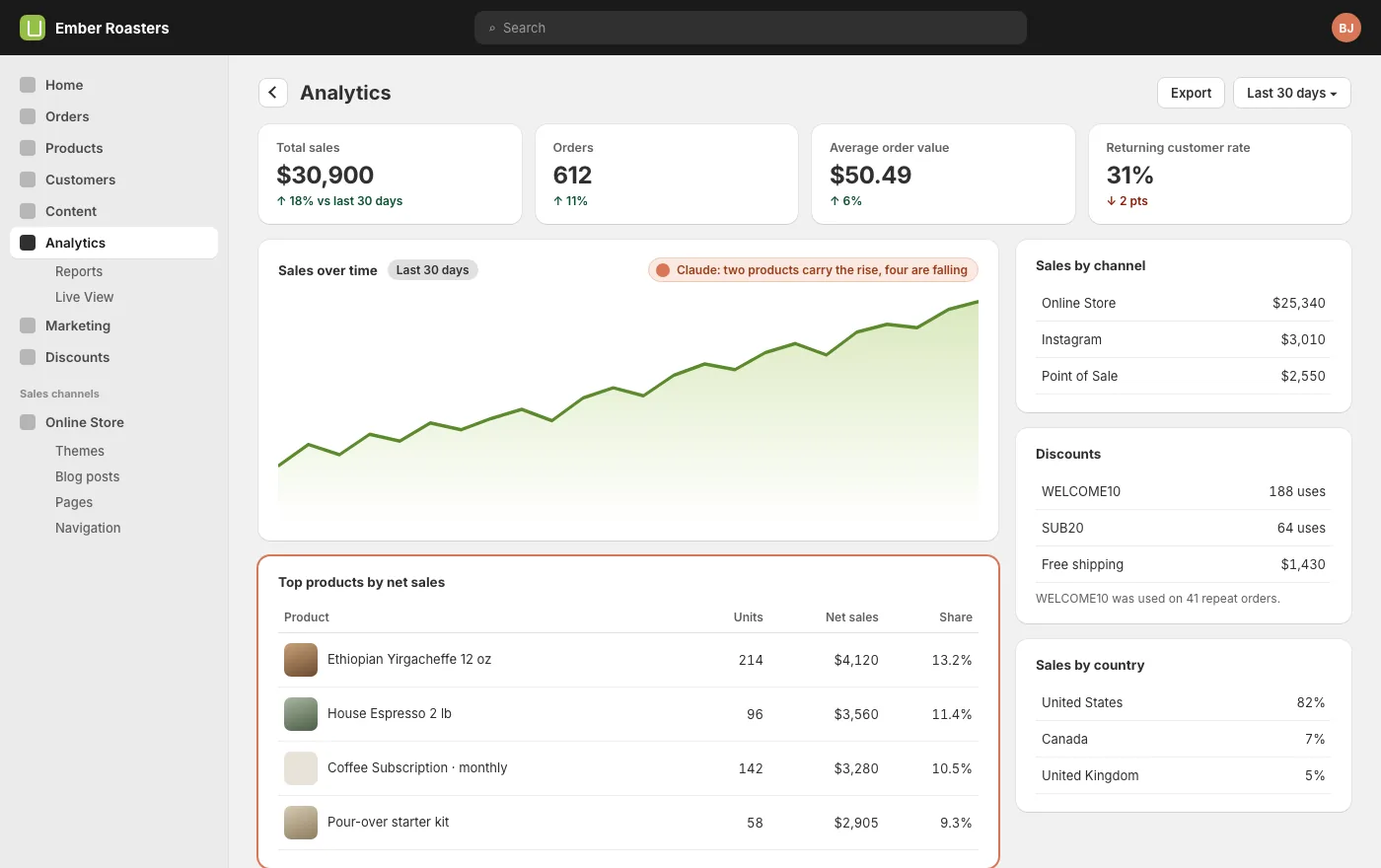
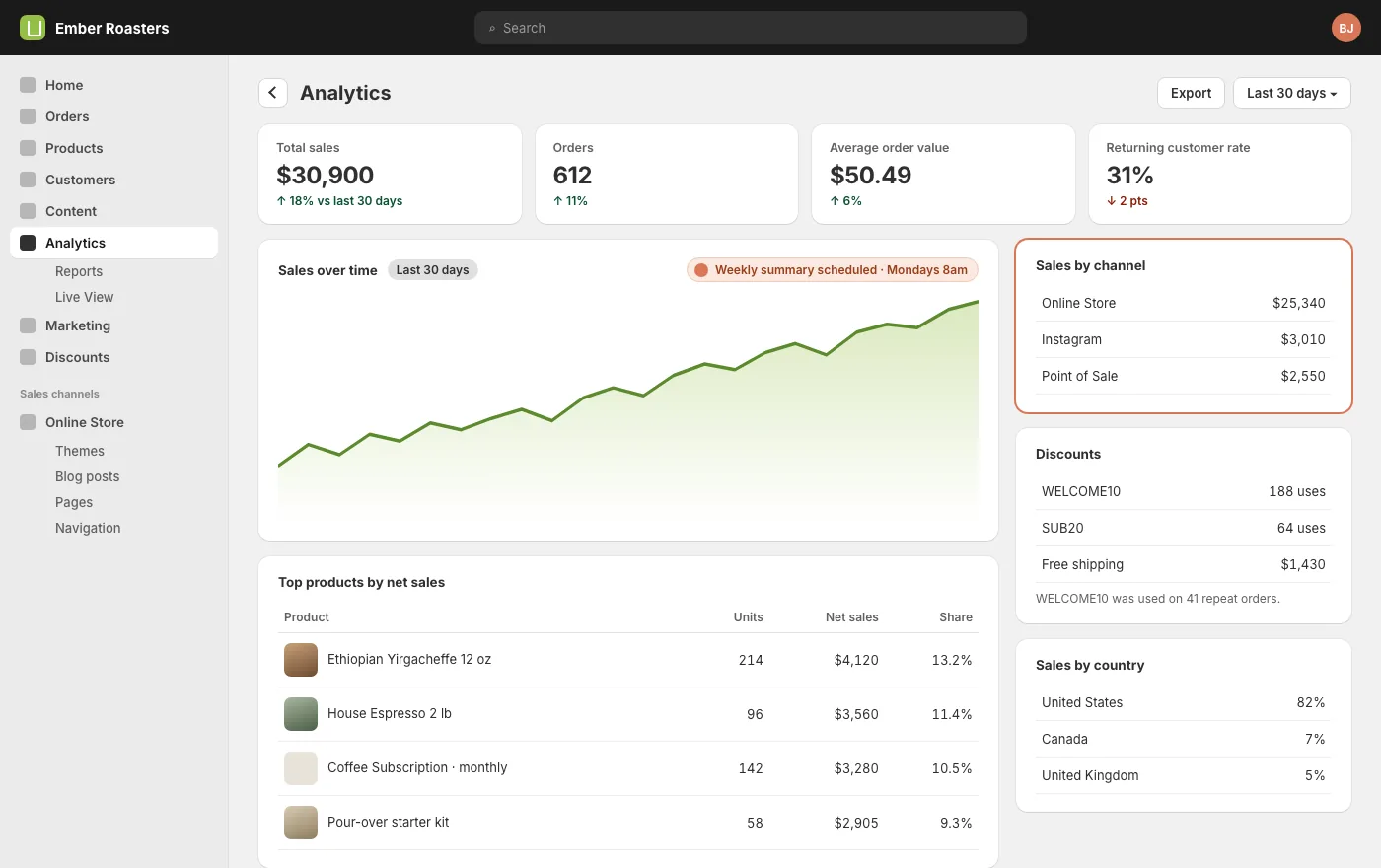
SayPull the last 90 days of orders. Tell me: total sales by week, the ten best sellers by net revenue, the ten worst by units, average order value, and the split by sales channel and country. Plain language, then a table.
Expect the shape of a real answer: sales are up, but the rise is two products and one channel; four products have not sold in 60 days; a third of orders come from one country you do not ship to cheaply. Each of those is a next question.
SayThe four products with no sales in 60 days: how much stock is tied up in them at cost, and what did they sell at before they stopped?
Average order value and bundles
Average order value is the number most easily moved by a product decision rather than a marketing one. Ask Claude which products are bought together, and which products appear alone in orders that are just under your free-shipping threshold. The first list is your bundle. The second is the add-on you should suggest at the cart.
SayWhich pairs of products appear together most often in the same order? And for orders between $30 and $35, which single products are they usually buying?
A roaster who learns that a 12 oz bag plus filters is the most common pairing, and that most $32 orders are one bag of the house espresso, has two changes to make that afternoon: a bundle, and a filter prompt on that product page. Both are things Claude can then build.
Repeat customers without customer data
Shopify marks orders from a returning buyer. Claude can group on that flag without ever reading who the buyer is. The questions that matter: what share of orders are repeats, how long between first and second order, and which first product leads to the most second orders.
SayWhat share of orders in the last six months were from returning buyers? What is the typical gap between a first and second order? Which product, when it is in the first order, most often leads to a second order?
That last one is the quietly valuable answer. The product that creates repeat customers is the one to put in front of new visitors, even if it is not the best seller.
Where discounts leak
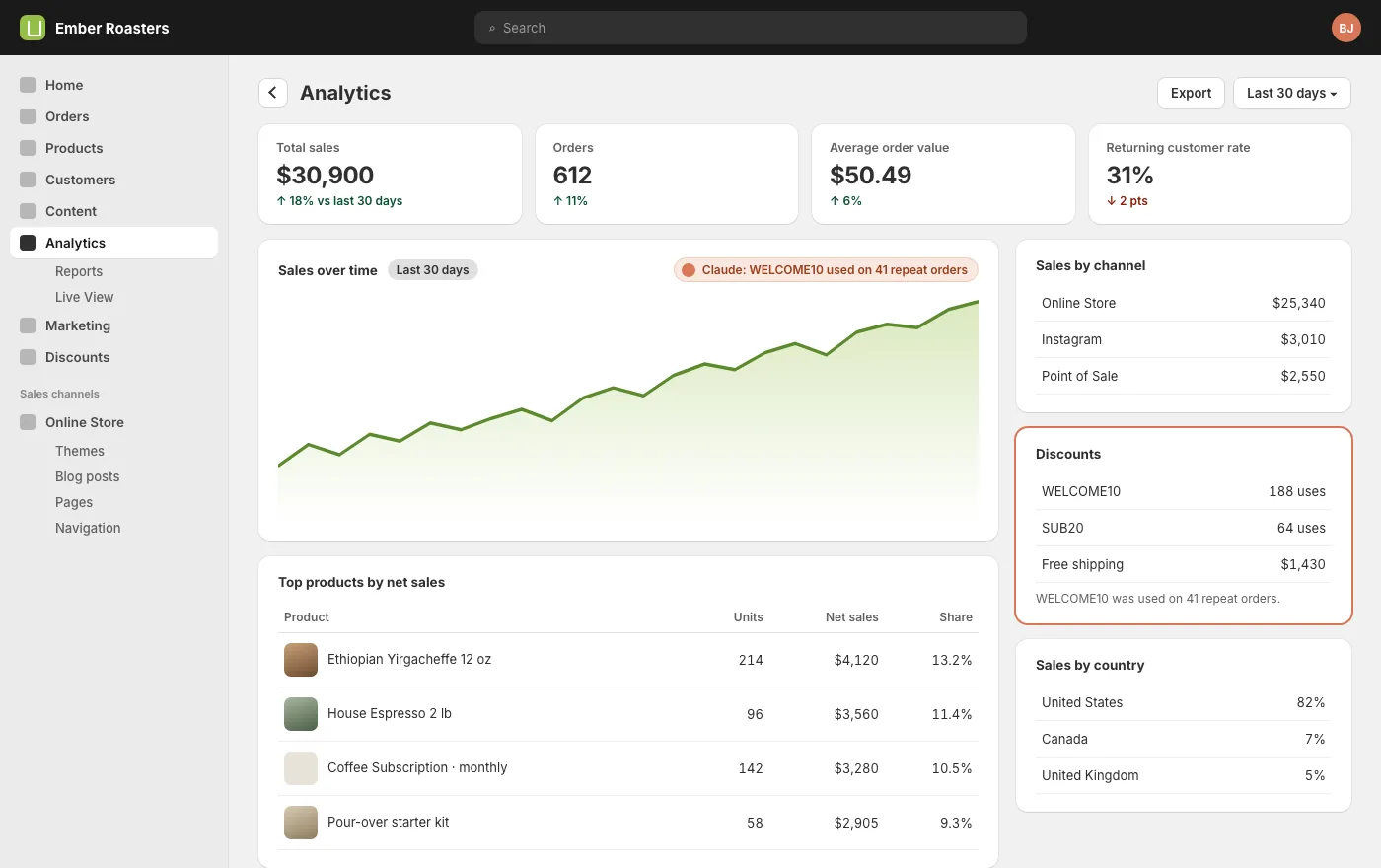
Every store has a code that was meant for new customers and is being used by old ones, or a free-shipping rule that fires on orders that would have shipped anyway. Claude can find both from orders alone.
SayFor each discount code used in the last 90 days: number of uses, total discount given, and how many uses were on orders from returning buyers. Flag any welcome code with more than 20% returning use.
The fix is usually a rule change in the discount settings. Claude can make it, or tell you exactly what to click.
Stock, lead times and what to reorder
Pair sales velocity with inventory levels and you get a reorder list instead of a stock list. Tell Claude your supplier lead time and it will tell you what runs out before the next delivery arrives.
SayUsing the last 30 days of sales and current inventory, which variants will sell out in the next 21 days? Show days of cover for each.
A weekly report you will read
Dashboards get ignored because they show everything. A report gets read because it says five things. Have Claude write it, in the same shape each week, and send it to you.
SayEvery Monday at 8am, write me a sales summary for the previous week: sales and orders versus the week before, best and worst movers, anything that will sell out within three weeks, and one thing you would change. Keep it under 200 words. Email it to me.
In Claude CMS that is a Swarm task: it runs on the schedule, reads the store through the connector and sends the email from your own address. If a week is ordinary, the report says so in two lines.
Turn answers into changes
Analysis is only worth doing when it ends in a change, and the connector that read the orders can also make most of the changes: create the bundle as a product, add the add-on suggestion to a product page, tighten the discount rule, update a collection, write the landing page for the product that creates repeat buyers.
Keep the two steps separate. Ask the question, read the answer, then say what to change. Claude does not alter the store because of something it noticed; it alters the store because you told it to.
Questions
Does Claude need access to my customers?
No. Everything here works from orders, products and inventory. Leave the customer scopes off when you install the app and repeat-buyer analysis still works, using the flag Shopify puts on each order.
How far back can it look?
As far as your order history goes. Large stores with years of orders are read in pages; a 90-day question answers in under a minute, a five-year one takes a few.
Can it compare with last year?
Yes. Ask for the same period a year earlier and it reads both ranges.
Will it make changes to the store on its own?
No. It reads when you ask a question and writes only when you ask for a change. Scheduled reports are read-only unless you tell the task otherwise.
Start here
Every guide on this page assumes one thing: your store is connected. That is a one-time job of about fifteen minutes, covered step by step in Connect your Shopify store, or one click from the Connections tab if you already have a Claude CMS account. After that, this guide is a conversation.